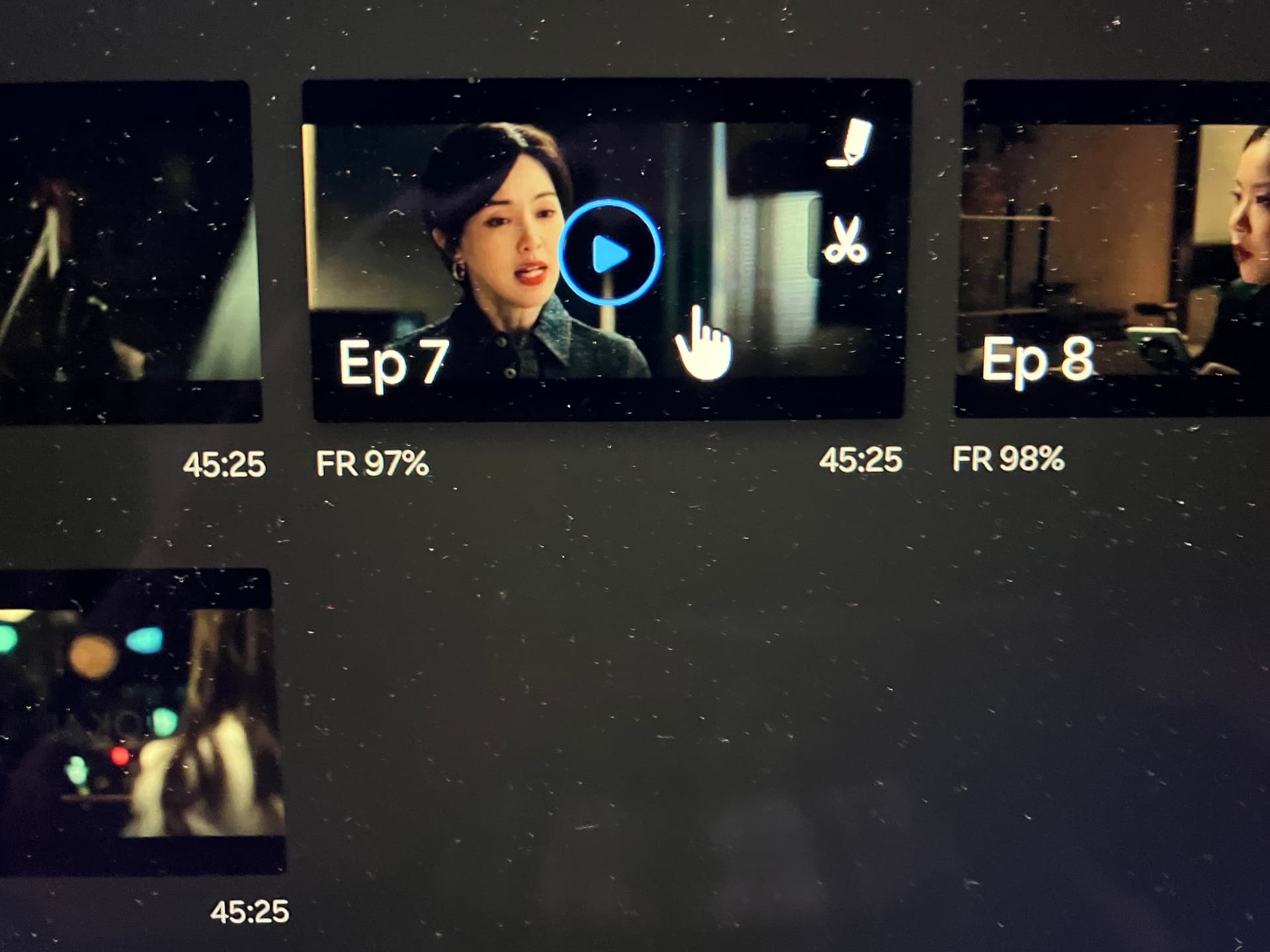
As we make improvements to the video player experience across platforms, the subtitle tool will no longer be accessible from within the video player starting May 25, 2026 (PT).
The subtitle tool isn’t going away – you can still access the tool from the episode list on each channel page.
Thank you for your patience as we make this update.
Hello @vikicommunity,
Thank you for letting us know. Regarding movies, which don’t have an episode list, how will we be able to access the subtitle tool starting May 25?
Zero new features for contributors, more and more pre-subbed languages, more and more vikisubteam on the channels as CM, mass deleting old accounts, plus some other situations, and now this step of hiding even more the access to the contributor community. I know, it could also be just for a better viewing experience, even though I don’t see the logic or the interference with the viewing, but those who like doing puzzles can easily see where we’re heading.
I try not to be negative as I’m still very involved around here, but the future does not look good for the contributors, and since there is zero communication and no clear perspective from you, Viki, this is the only situation I can think of.
Actually, I’m not quite following though… I thought that method being disponible on the episode did not interfere in viewer’s experience nor posibilitate them to access the subtitling tool, so… I don’t see why suddenly take that off.
For movies that’s the only method (that I know) we can work on. Anyway, I stopped following and just acceppted the fact that, whether we like it or not, it will be Viki’s call anyhow.
I just hope you guys don’t really stop taking us (contributors) into consideration for any changes or future projects since we’ve been around for a considerable time already. Have a great day/night, su-su🤍
It is. Sure, we could go to the tool of some other show and then fill in the numbers from the video link of the movie but like someone said before, we shouldn’t have to go to great lengths to be able to do our job here, especially not when there is no good reason whatsoever to do so.
All contributors are viewers, too. Did any of us ever think the tool buttons were in the way when we just wanted to watch a show? Seriously?
I am committed to do my work until Viki Sub Team takes over everything. Subs from AI are really hard to read and understand in the timing given. Often, AI’s timing is way off. I’m grateful for our volunteer segmenters and other volunteers.
Our son got an Oscar for visual effects. He has to train AI in his job now. He thinks AI will take over all visual effects in two years. So now it’s not only Viki’s volunteer work, but probably even actors and directors eventually. It’s the world we live in. However, AI takes twice or more of energy or power to operate.
On Viki, the AI learns from our subs. Hopefully, pre-subs will get better and better before we are phased out.
I think you can access the Subtitle Tool for movies by Clicking on the Pencil Icon in the Trailers & Clips section of the Show Page. That should bring you into the Subtitle Editor and then you can choose the segment from the List on the Left side of the Subtitle Editor and click on the Segment you will be working on .
I’m sorry that entering the Subtitle Editor through clicking on the Pencil Icon in the Trailer or Clips doesn’t give access to all Parts of the film. I guess the only way is to input the info in the URL as described above, then.
Yes. Once you have started working on it, you can go back there later from the project list in your profile but the first time, adding the right numbers to the link seems to be the only option.